
WebTrends Professional versus NetIntellect 3.0
You've finally got your Web site online, you've spiked the major directories, and now you're getting hits. But from who? And why? Both WebTrends' WebTrends Professional Suite and WebManage Technologies' NetIntellect 3.0 promise to tell you everything about your site's visitors.
Both log-file analyzers provide fast and flexible reporting capabilities, and either would be satisfactory for the budding Webmasters' daily use. Indeed, the two products are strikingly similar, differing only in some minor details.
If you're running a larger, more complex site, you might look favorably on WebTrends due to its remote log-access and reporting capabilities. WebTrends can access log files on remote systems over FTP, HTTP, and ODBC protocols, allowing users to monitor logs across the enterprise with ease. WebTrends also offers an equally dazzling array of output options, supporting HTML, Microsoft Word, Microsoft Excel, and text.
However, those sites needing BPA International Interactive Auditing Standard-compliant reports and heavy doses of detail will be satisfied by NetIntellect. Plus, NetIntellect's ability to add filters after a log has been processed is a definite bonus, allowing you to query data for specific strings without having to parse the logs all over again.

Getting to your log files
Both NetIntellect and WebTrends offer long lists of supported log files. NetIntellect supports more than 20 distinct log file formats. WebTrends supports more than 30 different log-file types, from international versions of Microsoft's Internet Information Server to the Web server bundled with Novell's IntranetWare. Both products also utilize two distinct modes of operation: an interactive mode for manually processing logs and data, and a background mode for scheduling processing tasks.
In terms of foreground processing, WebTrends allows you to choose a local log, or to specify a log on a remote system, using FTP, HTTP, or ODBC protocols. The system will retrieve the log file on your behalf, then process it according to the options you define.
Conversely, NetIntellect can only process local log files—at least in foreground mode. If you want to run a one-time analysis of a remote file, you'll have to go get it yourself. This is a subtle difference, but if you are using a remote system for your Web server, it's a significant one.
For background processing, both NetIntellect and WebTrends offer an integrated scheduler that can run as an NT service, allowing you to parse log files automatically. Both systems offer a wide range of scheduling options, from every few minutes to every few months, and provide for the automated retrieval of log files using FTP. However, WebTrends also allows for HTTP and ODBC connections.
Either system allows you to specify wild cards in the log "pull" function. But WebTrends also allows you to specify multiple file paths through the use of a pipe ("|") character, although this only appeared to function with local files.
WebTrends also has an option to do real-time analysis so that it populates the log database with new records whenever it changes, although this option is only available with logs that are stored on the local system. NetIntellect offers the ability to process log files that have been archived using .ZIP or .GZIP compression, meaning you won't have to keep uncompressed logs on the server.
Overall, I found it easier to use WebTrends on my network because one of my Web servers is Apache on a Linux host. Although NetIntellect would allow me to access those logs remotely during background analysis tasks, I was unable to view the data unless I also had a copy of the log file on the local system.

Processing log-file data
NetIntellect and WebTrends offer fairly similar functionality in regards to processing and analyzing log files. You can either choose to use a prepackaged report (such as "technical" or "marketing"), or you can build your own report from a list of available queries.
For example, you can build a report that focuses on advertising-related hits and clicks and build another report that shows the number of client- and server-related error messages. NetIntellect adds a report that conforms to the BPA standard and can be used with Web-tracking agencies.
NetIntellect and WebTrends offer a wide array of filtering options. For example, you may or may not wish to see data from your company's internal networks, and so you could define a filter that discarded all hits from your domain name. You can also choose to exclude certain directories and file types from the logs. This basic functionality worked well with both systems.
Both products also offer a wide variety of pre-packaged queries. Among the common set were reports and graphs for time-based queries, most- and least-visited pages, the trail of pages users followed, and the types of browsers in use. NetIntellect goes beyond WebTrends here in that the amount of data available is much larger. For example, I was able to look at all of the systems that had ever hit my site, and not just the top 10.
Finally, NetIntellect and WebTrends allow the user to build a summary database of the log file activity. This keeps you from having to re-process all the log files just to get a different look at the same set of data.
However, WebTrends excels here because it also allows you to set post-processing filters for each of the queries. You can choose to exclude a set of hosts from a report that's already been run so you won't have to re-process all logs.
Issuing log reports
NetIntellect and WebTrends allow for a range of output options. You can choose to generate HTML or Microsoft Word reports and have them either mailed to an account or stored on disk. For e-mail distribution, both products support the use of either Microsoft's Messaging API or the SMTP standard.
However, WebTrends goes well beyond NetIntellect in this area. WebTrends can also generate output using Microsoft Excel, a comma-separated file, or plain text. WebTrends also provides the ability to save a file to a remote system using FTP.
WebTrends also sports a unique remote-access feature, allowing you to use a Web browser to connect to the WebTrends application remotely. You can then process any of the predefined reports, reading the output right then and there. This feature is very, very handy for the traveling administrator.
WebTrends steps ahead
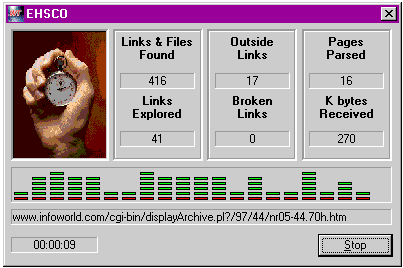
Although both log-file analyzers could use some polish, WebTrends adds two components that stand apart from NetIntellect. The first is an integrated link analyzer that will check all of the links on your site for slow or broken connections. This report can also be automated, but it cannot be generated remotely using the browser interface.
WebTrends also has a reporting module that is specifically designed for Web proxy servers, allowing you to process and analyze out-bound usage patterns. These features are identical to the standard log analysis component, but the output is somewhat different—the report shows the most common destinations from within your site rather than visitors to the site.
Although NetIntellect and WebTrends leave room for improvement, either solution has its place in your Web toolbox depending on your needs for detail or scalability. However, WebTrends adds the heft necessary for large-scale sites.
Designed for all types of Webmasters, WebTrends offers a tremendously wide array of input, processing, and output options, but it doesn't yet handle compressed log files or provide the "drill-down" queries necessary for hard-liners.
Also in need of polish, NetIntellect doesn't offer many remote report-gathering options, but once it gets its hands on your log file, you can see just about every record that was gathered and do post-processing queries without having to re-process the entire log set.

Copyright © 2010-2017 Eric A. Hall.
Portions copyright © 1998 InfoWorld Media Group, Inc. Used with permission.