
Dial-on-Demand Router Roundup
For those of us who spend lots of time on the Internet, using a modem for hours on end is just plain annoying. The call setup time seems to take forever. You're always disconnecting just before you remember another site you want to visit. You tie up your telephone line, and the bandwidth constraints drive all of us batty.
There is hope, however. Use a small network router. You create a virtual (or actual) local-area network (LAN) at your home and plug your PC into it. Whenever the router detects an "outbound" packet, it will dial up your destination and handle system logon, making connecting to the Internet as simple as opening your browser. The router also automatically disconnects a call after a specified period of inactivity.
These devices-called SoHo (small office/home office) routers-are used by employees who access corporate networks from home and small businesses that use the Internet a lot, but which don't need a full-time Internet connection. But they're also incredible for power users who demand near-constant Internet connectivity.
Take note: these devices are not for the faint of heart. You need to understand TCP/IP, especially routing. You need network adapters in the systems you will use, and you'll have to deal with unfamiliar technologies. But if you succeed, using a dial-on-demand router will take your Web surfing to an entirely new level.
Selecting a dial-on-demand router raises several questions. What physical connectivity is supported? How easy is it to configure and manage? What security options are available? Most important, what kind of performance will you get? You need to know the answers before you buy.
We tested three systems in our San Mateo, Calif., offices using a typical distributed setup with a "home" network and an ISP network. The home LAN had a single PC and a dial-on-demand ISDN router using a standard 128-Kbps Basic Rate Interface (BRI) circuit. The ISP network had an Ascend Communications Inc. Max 4000 ISDN router and a 1.544-Mbps Primary Rate Interface ISDN circuit.
We tested Ascend's Pipeline 50, a beta version of ADC Kentrox's Pacesetter, and Digi International's Retoura 60. Many dial-on-demand routers are on the market, but these were the only three with native ISDN support that we received by press time. The Ascend Pipeline 50 is clearly the best choice among these three. We therefore give it our Editors' Choice Award.
Testing the Pipeline 50 with an Ascend router at the other end probably gave it a slight advantage. Most ISPs use Ascend routers, however, so the advantage isn't artificial.
Physical Connectivity
For local wiring, Ethernet is the easiest LAN setup to install. You can get a cheap Ethernet adapter for less than $100. You can use simple coaxial cable, or a 10 Base-T hub. The Pipeline and the Pacesetter come with 10 Base-T crossover cables that let you plug a single PC directly into the router. Make sure the router supports your network adapter's cabling.
Dial-up service choices range from analog modems to high-speed dedicated leased lines.
You also can use a router with an analog telephone line. The only one we reviewed that supported dial-on-demand services over analog lines was the Digi Retoura, but there are others. This means you can use your existing phone line, but be prepared to deal with slower speed and setup time.
For extremely fast performance, get a leased line. While they traditionally have been more expensive, they now rival ISDN's rates in many communities, costing less than $100 per month, regardless of how much data you send.
The best bet for most of us is a BRI ISDN circuit. BRI lines have two 64-Kbps channels which can be combined to provide 128 Kbps of network throughput at reasonable rates.
You can configure a router to keep an ISDN circuit up at all times, or configure it to open each channel as needed. ISDN also can be used for regular voice services with the appropriate telephone, so you can eliminate your other phone line.
Each system supported regular PPP over ISDN and multi-link PPP, which permits the use of both ISDN channels simultaneously. All allowed us to use the channels as additional bandwidth was needed. Only the Pacesetter supported the Bandwidth Allocation Control Protocol, a draft specification that allows systems to negotiate additional circuits when needed. Each system also allowed us to "nail" the connections up full-time. The Digi Retoura even supported scheduled connectivity, which permitted us to nail both channels up during office hours and down during the evening.
Configuration
All three routers used a simple text-based menu for configuration. They all also offered more powerful configuration options via a command line interface. None were easy to use, but all were well-documented enough so that we could figure things out. The Ascend Pipeline was the easiest to use. The Digi Retoura was the most difficult.
The management systems reach the routers through terminal emulation into the router's serial port or through Telnet. Using Telnet means you can manage the utility remotely. You also can manage the router remotely if it supports the Simple Network Management Protocol (SNMP)
A Windows- or Macintosh-based management tool would have made all of these systems easier to use.
Security Concerns
Whenever you connect to the Internet, you expose your system to hackers. This seems far-fetched, but it happens more often than anybody likes to admit. Most routers now implement firewall technologies.
Both the Pipeline and the Pacesetter provide basic filtering capabilities, so you can block incoming traffic on a per-site or per-node basis. Only the Pipeline offered ACK (acknowledgement) monitors to protect against hackers who attack weak services. The Pipeline and Pacesetter also include spoofing filters to block hackers who generate packets with IP addresses which appear local to your network.
Another important aspect of security is your connection to the ISP. Most ISPs use either the password authentication protocol (PAP) or the challenge handshake authentication protocol (CHAP). All three routers support these. The Pipeline also supports Caller Line Identification (CLI), which allows the ISP to ensure that the call did indeed come from your telephone, and some third-party security technologies, including RADIUS and secure-token systems.
Performance
Several external elements contribute to performance, including line speed, TCP/IP stack speed, and application speed. These also matter on the remote site. An important aspect to consider on the router, however, is compression.
The Van Jacobson standard for compressing IP header data eliminates a lot of the overhead traffic in an IP connection. Almost every dial-up device supports this standard. These units did, too.
Stac compression is another popular compression technique. It compresses not just the IP header, but the entire packet. The Pipeline and the Pacesetter both supported Stac compression. It was hard getting the compression to work with the Pacesetter's beta release. Some ZIP files could not be downloaded to the Pacesetter, because it could not decrypt the compressed data. We could upload the same ZIP file to the remote site.
An enhanced Microsoft version of Stac compression, MS-Stac, is beginning to appear. The Pipeline and the Pacesetter both claim to support MS-Stac compression, but we could not establish a compressed connection between the Pacesetter and the Ascend Max 4000 using MS-Stac. Hopefully these problems will be fixed by the time the final Pacesetter product is released. We could never get a compressed connection to work on the Retoura.
Even without compression, the Pipeline was the best performer, with the Pacesetter a close second. An uncompressed text file of 1 million bytes, sent with no link compression, brought in transfer rates of 115 Kbps. Adding compression resulted in transfer rates of more than 500 Kbps. Using ZIP files for further compression, we were able to download a megabyte in just more than a second.
These astounding figures show why ISDN remains popular. It's also a great choice because of its quick connect times-about two seconds compared to 30 seconds or so for analog modems. There's also the bandwidth-on-demand nature of the multiple channels, and the ability to use them for either voice or data.
Even if you can't get ISDN you should consider a dial-on-demand router. It provides connections to multiple local desktops simultaneously, does on-demand-bandwidth allocation with the right technology, and offers "invisible" access without a separate dial-up procedure.
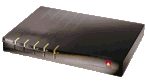
Ascend Pipeline 50
The Pipeline 50 came with 10 Base-T and LAN and attachment unit interfaces. It supports IP/IPX routing and bridges all other protocols. It also connects to a wide-area network (WAN) from a serial port, but only supports constantly dedicated links, which means bandwidth on demand can't be used. For ISDN BRI ports, full RFC-1717 Multilink PPP is supported. Ascend has added proprietary extensions for advanced bandwidth handling support with other Ascend devices.
The Pipeline 50 supports Stac LZS and MS-Stac compression, which allowed throughput of up to 576.16 Kbps in a FTP transfer of a 1-MB file containing more than 90 percent compressible data. That's roughly five times the transfer rate of the same data without compression, which averaged 114.88 Kbps.
Much data available to be downloaded is already compressed. A router using compression shouldn't fail while trying to compress previously compressed data. The Pipeline 50's implementation of the Stac LZS algorithm not only allowed it to flawlessly transfer pre-compressed data, but to do so without wasting time trying to further compress the data.
A full set of security features also are included with The Pipeline 50. It supports PAP, CHAP, external RADIUS security servers, and Ascend's proprietary token-based security server. It uses ISDN's D channel to offer further security by using CLI.
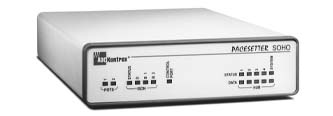
ADC Kentrox Pacesetter
This is an ISDN-based dial-up router that doubles as a general WAN router via connections from its serial port. It supports one ISDN BRI interface and a high-speed serial-based WAN interface of up to 62 Mbps, which supports PPP connections over frame relay or any other serial-based WAN service. On the LAN, it supports 10 Base-T Ethernet, routes IP and IPX, and bridges all other protocols.
The Pacesetter had excellent throughput, approaching ISDN's BRI 128-Kbps capacity with uncompressed data transfers averaging 114.24 Kbps. With compression, it averaged 502.08 Kbps.
We had problems transferring pre-compressed ZIP- and JPEG-format data from an Ascend Max 4000 to the Pacesetter with Stac LZS compression enabled on both. Pacesetter also could not negotiate the MS-Stac algorithm with our Max 4000.
The Pacesetter's authentication was a bit weak. It supports PAP and CHAP, but doesn't offer CLI or any other external server- or token-based security support. It did have strong firewall support with address, port, and source route address level filtering. To save bandwidth, we were able to set IP, IPX, AppleTalk, and broadcast filters.
Configuring the Pacesetter is simple and quick. The one limitation we found was that security definitions can only be applied to a particular port and channel, instead of to different call destinations.
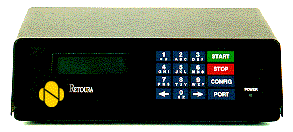
Digi International Retoura 60
Digi's Retoura has an external LED/touch button interface that lets you monitor and configure many functions without connecting a serial cable or using Telnet. We found it more useful for quickly monitoring channel status, however. The Retoura supports 10 Base-T and two ISDN BRI ports. You can configure each B channel separately or combine all four B channels for up to 256 Kbps. It also comes with two serial ports, making the Retoura a versatile IP/IPX router with bridging capabilities, although AppleTalk bridging is not supported.
The Retoura reached full ISDN speed with an average throughput of 111.76 Kbps without compression. Although the Retoura supports Stac LZS compression, we were not able to get it to negotiate this compression with the Ascend Max 4000 we used.
Like the Pacesetter, the Retoura offered only PAP and CHAP authentication. We ran into problems when we tried to authenticate with our Ascend Max 4000 with the "None" authentication option selected on both routers. The Retoura has no firewalling features. It does offer IP/IPX and broadcast filtering to preserve bandwidth. Other filters can be assigned, but you must know the exact bit pattern of the frames you want to match and how to convert hexadecimal numbers to binary.
The Retoura can't assign multiple destination profiles per ISDN channel, which would allow you to name different sites the router could access depending on the IP traffic. Routes and other attributes are, instead, applied to each B channel and must be changed manually, as with the Pacesetter.
The Retoura's configuration interface is an easy, character-based menu. The part of the configuration program that made IP assignments to the WAN ports reverted to the router's default values each time we opened it, however. When we changed any assignments, we had to reassign all of them. Once it was configured, the Retoura's dial-on-demand features were excellent.
If you want to get a dial-on-demand router set up, but don't want to move to ISDN right away, you can use the Retoura in the meantime.

Copyright © 2010-2017 Eric A. Hall.
Portions copyright © 1997 CMP Media, Inc. Used with permission.